

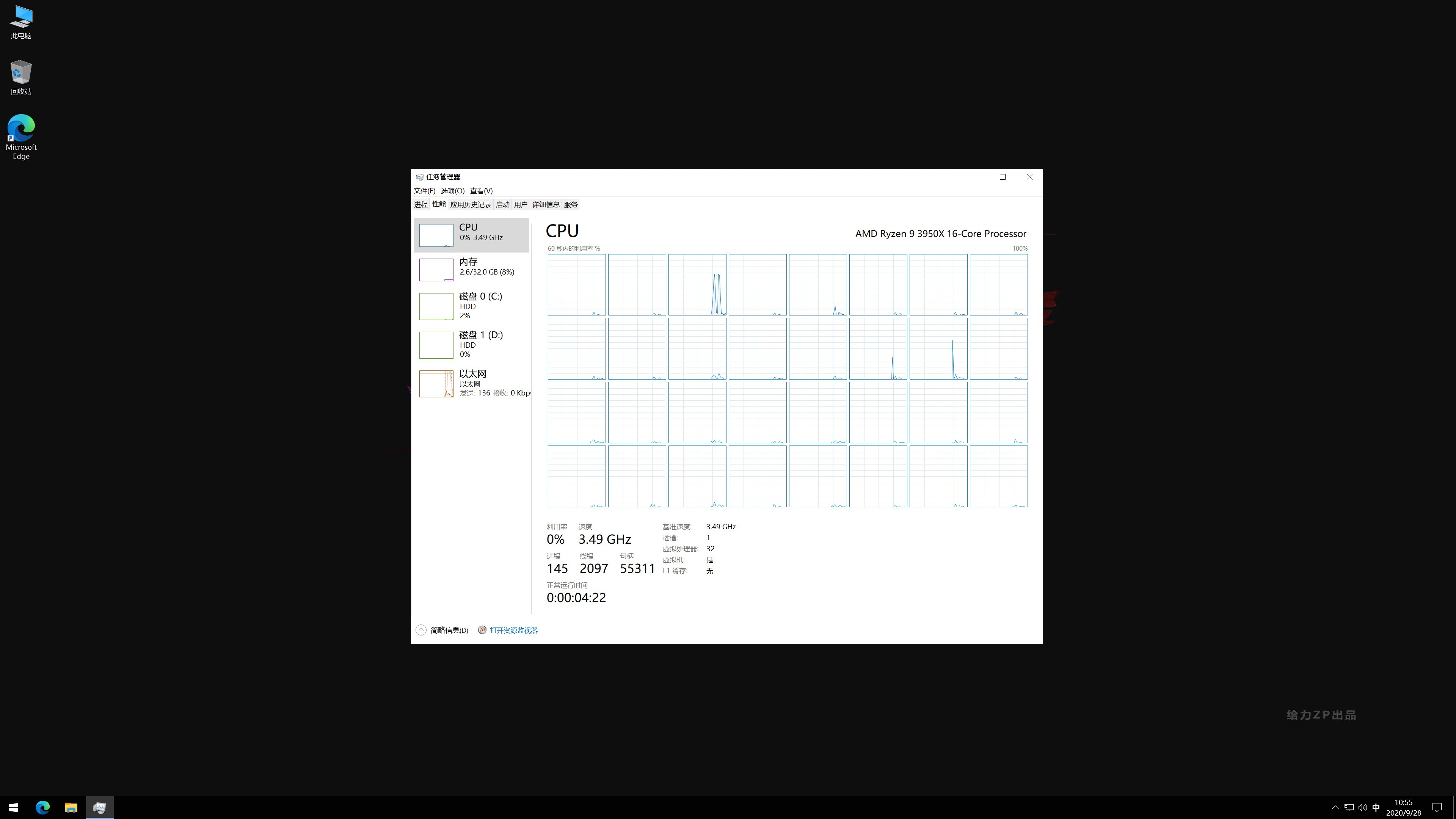
Self-employed high-performance discrete workstation computer for remote rental, processor 16 cores and 32 threads, RAM 96GB 3200MHz

Article Source:给力ZP Author:给力ZP Release time:2020-10-05 14:56:00 Number of words:1486 Reading:16371Times

The rented workstations are for self-use workhorses, not commercialized servers.

Interested in using the first trial, to meet the needs of the formal transaction, first use and then pay, not satisfied with no charge.

The use of Windows comes with a remote desktop software link, no need to download a separate.

If you need a higher configuration, welcome to chat privately.


Non-server CPU, non-E-series CPU, non-low-frequency CPU, the use of high-frequency multi-core CPU can be RWD to 4.7GHz, to accelerate the efficiency of the work.


50$/24 hours configuration is as follows:

Workstation:

OS: Genuine Windows 10, software to be installed by yourself;

CPU: 16 cores and 32 threads, default frequency 3.5GHz, Rui frequency 4.7GHz;

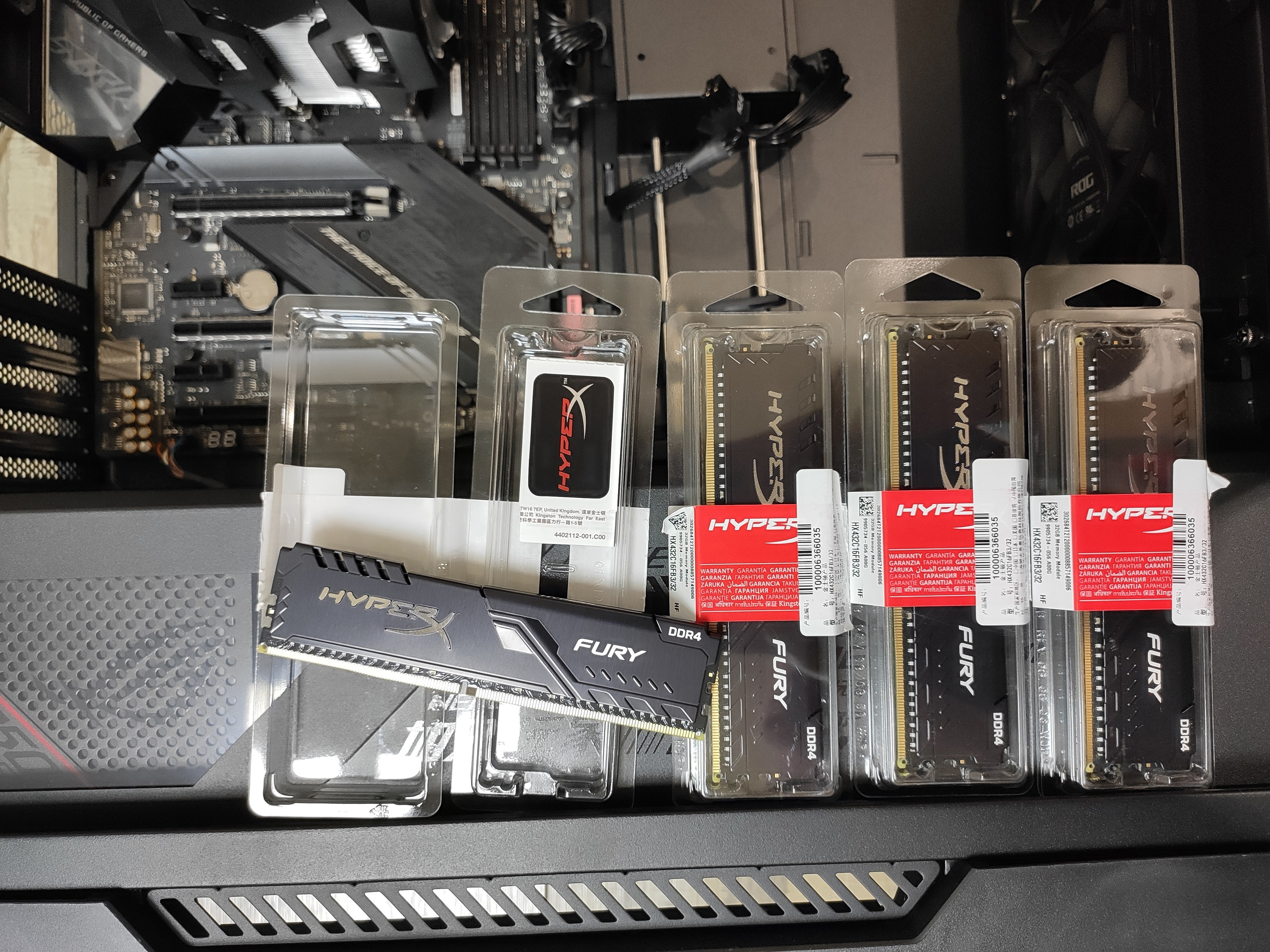
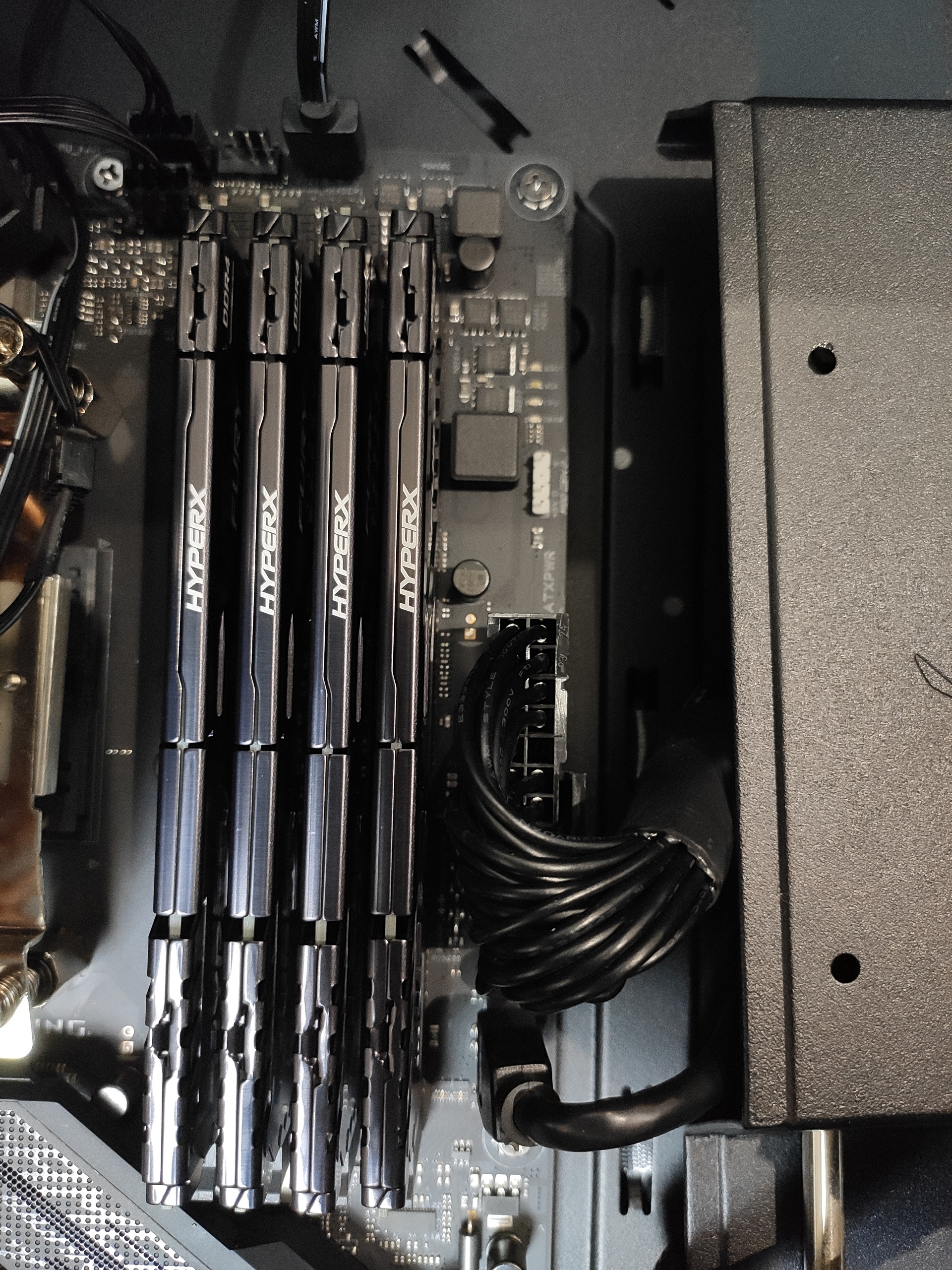
Memory: Kingston Hacker Bar 3200MHz, 32GB (up to 96GB);

System disk: 150GB Samsung M2 SSD, sequential write up to 2500MB/s, sequential read up to 3400MB/s;

Data disk: default 200GB, free expansion according to demand, has been configured mirror disk, a file two disks at the same time to write, to protect data security;

Internet speed: 200MB downstream;


Auxiliary facilities:

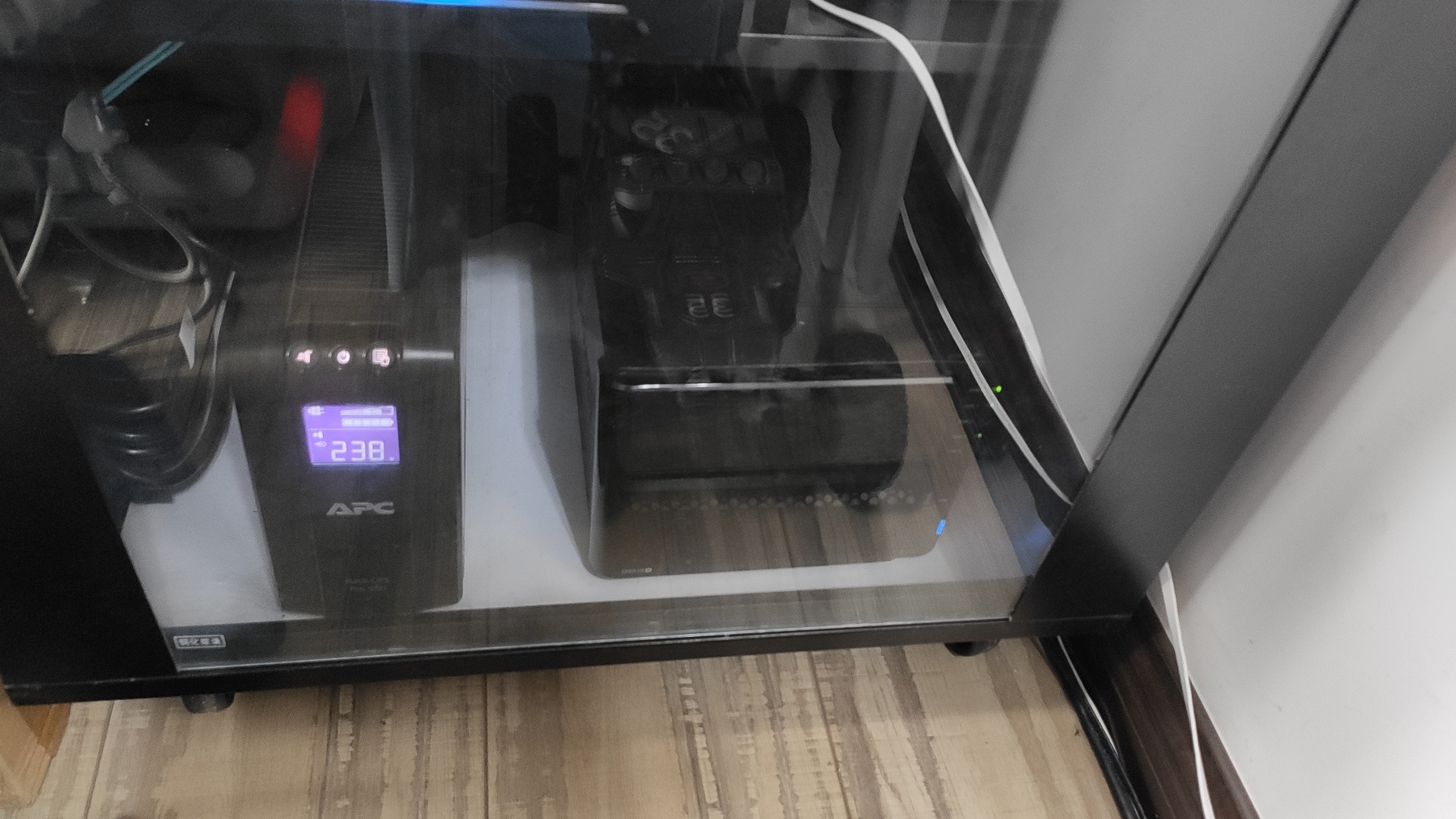
Schneider UPS full protection, in case of power outages, the workstation will not be immediately interrupted, to protect data security;

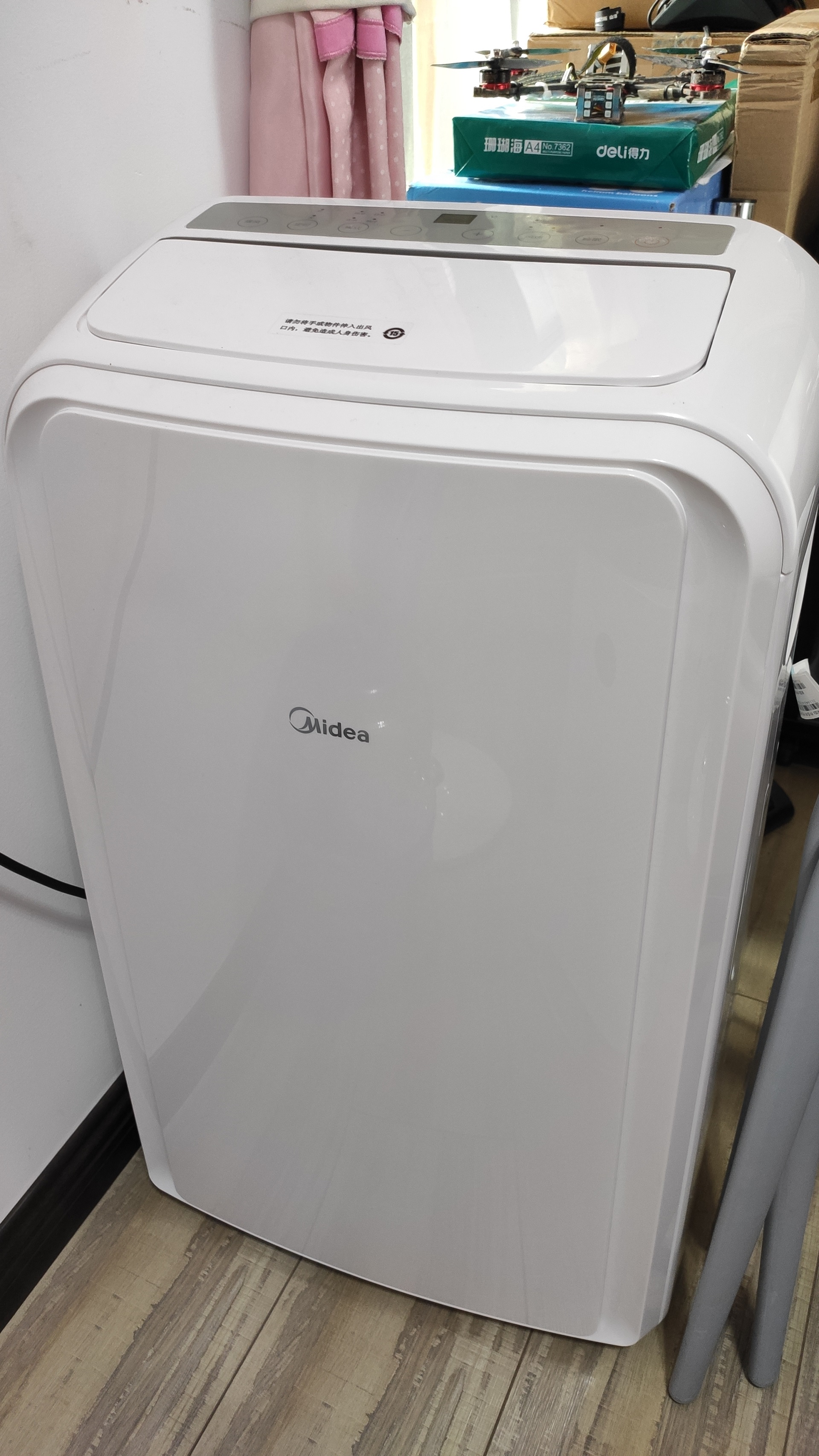
In case of hot weather special air conditioning to quickly cool down;


Sweep the code through the idle fish trading, or add WeChat trading, micro-signal: geilizp

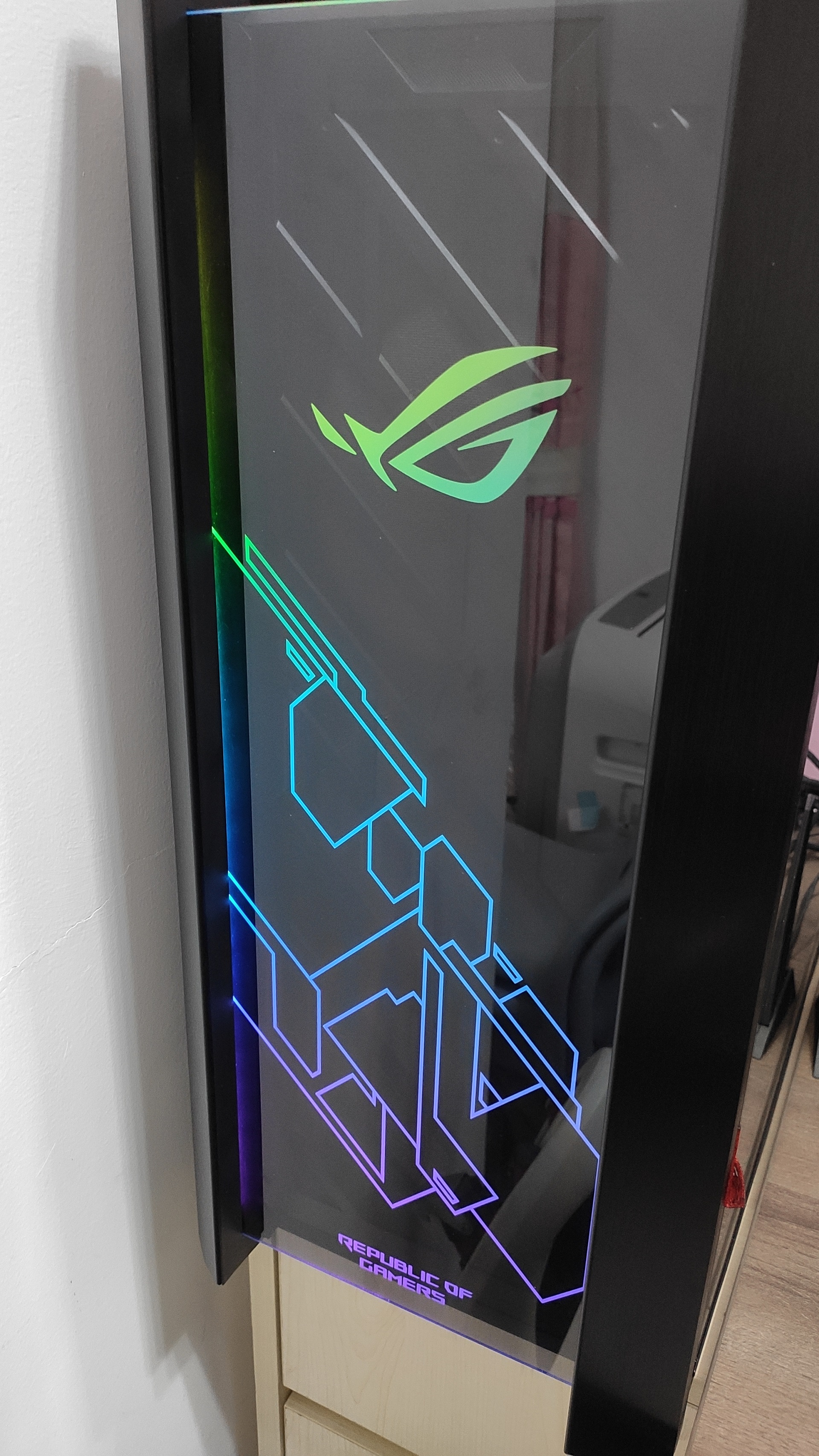
The following are actual pictures of the workstation, all pictures are original.

Comments (2 of)

未知
未知 03-03 04:59
Hola losbequipos remotos son gaming?
智慧工具库
智慧工具库 03-06 08:17
Lo siento, no alquilaré el servidor por el momento.

Related Reading

Windows 10 Window Switching (Alt + Tab) Masks Edge Tabs

The new version of Windows 10, press the keyboard Alt + Tab to quickly switch windows, it will switch in the Edge each tab, resulting in reduced efficiency, simple settings to solve related problems.

AdSense's defined ad units do not display properly in mainland China, but display properly in other countries.

Intelligent online image compression tool

Online image compression tool provides intelligent multi-level compression scheme, supports batch processing of JPG/PNG format images, up to 80% file size reduction. Provides four compression modes: mild, moderate, powerful (VIP) and extremely powerful (VIP), easy to operate in three steps, free to use without registration, ideal for website optimization and mobile application development.

Detailed steps to reinstall Windows 10 via USB flash drive

After pressing the computer boot button, continuously hit a key on the keyboard (depending on the brand of the key does not pass, see the table below), until the boot item selection interface appears, press the keyboard up and down arrow keys to select "USB1-1 (KingstonDataTraveler 3.0)", press the keyboard Enter key to confirm.

The preferred tool for efficient GIF image compression

Smart Tool KitGIF Compressor is an efficient and free online tool that supports two compression modes, smart and custom, which can significantly reduce the size of GIF files while maintaining high image quality. It supports batch processing (up to 50) and oversized files (up to 1024MB), which is suitable for social media, web optimization and other scenarios. Simple operation and one-click compression help improve loading speed and storage efficiency.

Suggestions and feedback Contact Us